
Pinterest can help people discover digital products while they are searching for ideas, planning a project, or looking for a solution to a problem. That makes it a useful place to promote products such as templates, printables, guides, and online courses.
But a product does not sell just because you post a pretty Pin. You need to choose a specific audience, solve a real problem, create a clear offer, and send people to a page where they can understand what they are buying.
In this guide, I’ll share 13 digital products you can create and promote on Pinterest, along with practical ways to make each idea more useful and easier to sell.
🎁 Free: 10 editable Canva Pin templates
The same Pin designs we use to get traffic from Pinterest. Swap in your text and photos and you have a ready-to-post Pin in minutes.
👉 Get the free templates (or get all 60 premium templates for $19)
Can You Sell Digital Products on Pinterest?
Yes. You can use Pinterest to promote your own digital products by creating Pins that link to a product page, online shop, or blog post that explains the offer. You can sell through your own website or a marketplace such as Etsy, depending on the product and your business setup.
Pinterest’s shopping features have specific requirements. Its product Pins and retail catalogs are designed for eligible merchants selling their own products. Pinterest’s merchant guidelines say merchants must not be affiliate marketers. So, if you’re promoting affiliate products, treat that as a separate content and affiliate-marketing activity.
Follow Pinterest’s disclosure rules and the terms of each affiliate program. Pinterest Merchant Guidelines and Commercial and Branded Content Guidelines explain the current requirements.
For many new sellers, the simplest approach is to create a Pin that links to a helpful landing page or product listing. The Pin should accurately describe what the buyer will find after clicking.
13 Digital Products to Sell on Pinterest
1. Printable Planners
Printable planners help people organize their schedules, goals, tasks, or routines. Instead of making a generic planner for everyone, focus on one type of user or situation.
- Weekly planners for busy parents
- Study planners for high school or college students
- Meal-planning sheets for families
- Undated planners for people who want to start anytime
A useful planner should be easy to print and understand. Include a few sample pages in your product images so shoppers can see the layout before buying.
2. Budget Trackers and Finance Spreadsheets
Budget templates can help people track income, bills, savings goals, debt payments, or household spending. You could create a printable version, a spreadsheet, or both.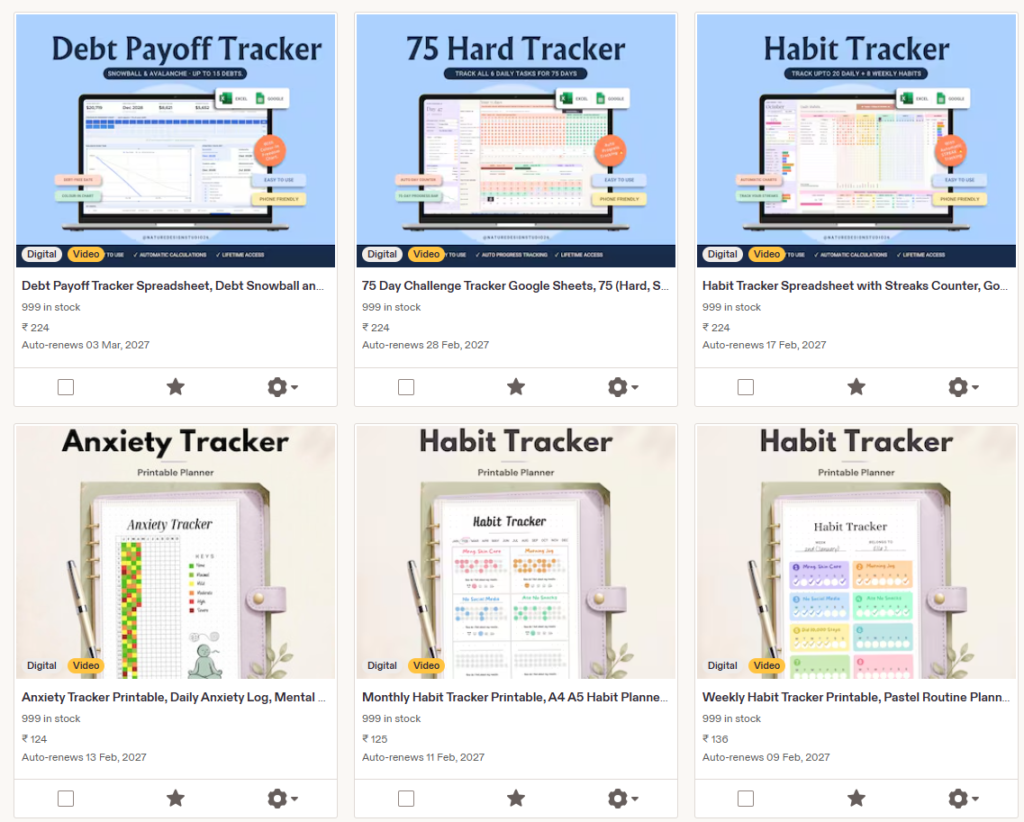
Make the product specific. For example, a “first apartment budget spreadsheet” gives a clearer promise than a broad “money planner.”
Add instructions and sample data so buyers know how to use it. Avoid promising that a template will eliminate debt or guarantee a certain financial result.
3. Social Media Templates
Small businesses and creators often need ready-to-edit content but may not have time to design every post from scratch. You can create templates for a specific audience, such as real estate agents, local cafés, coaches, or handmade-product sellers.
A strong template bundle might include matching post designs, story layouts, cover images, and a short guide explaining how to customize them. Make it clear which software or app the templates work with.
4. Business Forms and Client Templates
Freelancers and small business owners need practical documents to manage their work. Examples include client questionnaires, project briefs, onboarding checklists, content calendars, and service-planning worksheets.
Keep the product focused on organization and communication. If you create legal or financial forms, make it clear that the template is not professional legal, tax, or financial advice. A general-purpose template should not claim to replace advice from a qualified professional.
5. Educational Worksheets and Activity Packs
Parents, tutors, and teachers look for activities that help children practice a skill or stay engaged. You could make printable worksheets, flashcards, themed activity packs, or revision sheets for a particular age range or subject.
Be specific about the age group, skill level, and what is included. For example, a “beginner multiplication practice pack for ages 8–9” tells buyers more than “math worksheets.” Check that all content is original or properly licensed.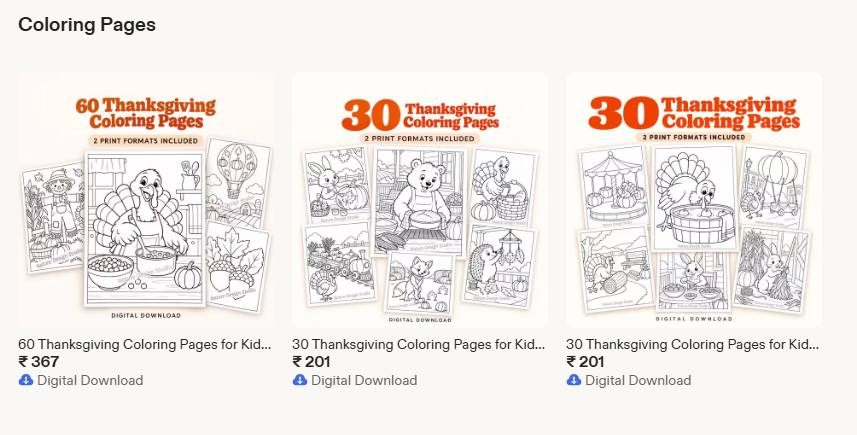
6. Digital Invitations and Event Stationery
Digital invitations can be used for birthdays, baby showers, weddings, graduations, and other events. You can sell a finished design or an editable template, depending on your skills and the platform you use.
Tell buyers exactly how customization works. Explain whether they receive a PDF, image file, or editable link, and whether printing is included. For editable products, include simple instructions so customers can change names, dates, and other details without confusion.
7. Wedding Planning Printables
People planning a wedding often need help keeping track of decisions, guests, vendors, and spending. A wedding planning bundle could include a checklist, budget sheet, guest list, seating chart, and vendor contact page.
Make each page practical. A checklist that says what to do and when is more helpful than a decorative page with no guidance. You can also create products for a narrower audience, such as a small wedding, an outdoor ceremony, or a destination wedding.
8. SVG Files and Craft Designs
Crafters may buy digital cutting files for projects such as labels, cards, signs, and custom gifts. You can create themed designs for a hobby, holiday, or specific type of occasion.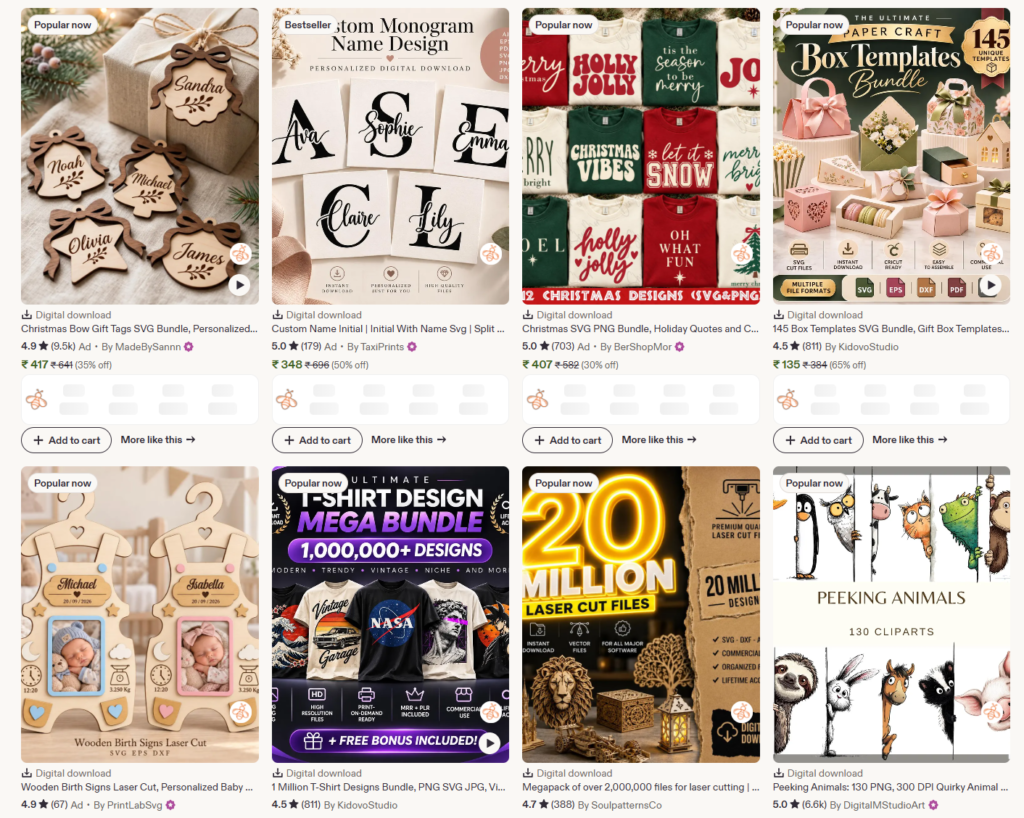
Before listing your files, explain the file types included and which machines or software they’re intended for. Check the licensing terms for fonts, graphics, and other design elements. Do not use copyrighted characters, logos, or artwork unless you have permission.
9. Printable Wall Art
Printable wall art lets customers download artwork and print it at home or through a print shop. You could create coordinated sets for a room, a particular decorating style, or a specific audience.
Include the available file sizes and a note that color can look different on different screens and printers. Use product images that show the artwork clearly, and do not imply that a frame or printed copy is included if the customer only receives a download.
10. Recipe Ebooks and Meal Plans
If you have original recipes or a useful approach to meal planning, you could package them into an ebook, recipe collection, or meal-planning bundle. Examples include quick weekday dinners, lunchbox ideas, or vegetarian meal plans.
Organize recipes so readers can use them easily. Include serving sizes, ingredients, clear steps, and any relevant storage notes. If you discuss nutrition or health, keep claims accurate and avoid presenting a general recipe ebook as medical advice.
11. Travel Itineraries and Trip Planners
Travelers often look for ideas before they choose where to go and what to do. You can create a sample itinerary, packing checklist, trip budget worksheet, or destination planning guide for a specific kind of trip.
Be transparent about when you last checked time-sensitive details such as opening hours, transport, or prices. Those details can change, so include a date or encourage readers to verify information with the official provider before traveling.
12. Online Courses and Workshops
A course can teach a skill through lessons, videos, worksheets, or guided projects. Choose a topic you can explain clearly and break it into manageable steps.
You do not need to start with a large course. A short workshop or beginner lesson can help you learn what your audience wants before you build a bigger program. Describe who the course is for, what it covers, and what students should be able to do afterward. Avoid guarantees about income or results.
13. Checklists, Cheat Sheets, and Quick-Start Guides
Not every digital product needs to be a long ebook or complicated template. A concise checklist or quick-start guide can be valuable if it helps someone complete a task with less guesswork.
Examples include a new-blog checklist, a product-launch planner, a home decluttering checklist, or a beginner’s guide to setting up a content calendar. Keep the advice specific and useful. A short product that solves one problem can be easier to finish and improve than a huge guide covering everything.
How to Choose a Digital Product Idea
Before you start designing, ask yourself these questions:
- Who is the product for?
- What problem does it help them solve?
- Are people already searching for this topic or buying similar products?
- Can I make the product more useful or specific than a generic version?
- Can I create original content and use all included assets legally?
Use Pinterest Trends to explore search terms and seasonal patterns. Pinterest’s Trends tool can show keyword activity over time and, where available, related searches and product-category information. Treat this as a research clue, not proof that a product will sell. Also review marketplace listings, customer questions, and reviews to see what buyers praise or find confusing. Pinterest Trends
You can also learn how to find relevant Pinterest search terms in our guide to Pinterest keyword research.
How to Create a Product People Want to Buy
- Start with one clear problem. Avoid trying to make a product for every possible customer. Decide who you want to help and what they need.
- Look for gaps in existing offers. Read reviews and questions on competing listings. Buyers may want clearer instructions, more file sizes, a simpler design, or a version for a specific audience.
- Create a small first version. Make the essential product first. You can add extras after you get feedback and see what customers use.
- Test every file and link. Open the files on the devices or software your customers are likely to use. Check that download instructions work and that editable links have the right permissions.
- Show exactly what’s included. Use preview images and a clear description. State the file format, dimensions, number of pages or templates, and whether the item is digital only.
- Set a price based on the offer and audience. Consider the usefulness, depth, support, and alternatives available. Do not price based only on how long it took you to create.
How to Promote Digital Products on Pinterest
Use a Pinterest Business Account
A business account gives you access to Pinterest analytics and business tools. Complete your profile with a clear description of what you sell and who you help.
Create Pins That Match Search Intent
Make several Pin designs for the same product, each emphasizing a different benefit or use case. For a budget spreadsheet, one Pin might focus on tracking bills, while another shows how it helps someone plan monthly spending.
Use a clear image, readable text, and a relevant title. Avoid making claims that the product or landing page does not support.
Write Descriptive Pin Titles and Descriptions
Use the words a potential customer would naturally search for. A title such as “Printable Wedding Budget Spreadsheet” is more descriptive than “My New Template.” Include related terms naturally, but do not stuff the description with repeated keywords.
Send People to a Useful Destination
Link to the product page or a helpful blog post that explains the product and answers common questions. Make sure the Pin, landing page, and product are consistent. If a Pin promises a free checklist, the page should lead directly to that checklist.
If you sell on Etsy, our guide on using Pinterest to boost Etsy sales walks through ways to promote your shop. If you sell through your own website, read our guide on how to start a blog and earn money.
Track More Than Impressions
Impressions can show that your Pins are being seen, but they do not tell you whether people are visiting your product page or buying. Track outbound clicks, product-page visits, email signups, and sales. If a Pin gets views but few clicks, test a clearer image or promise. If it gets clicks but no sales, review the product page, price, previews, and checkout process.
For more Pinterest marketing fundamentals, read our guides to Pinterest SEO and ways to make money on Pinterest.
Why a Blog Can Help You Sell Digital Products
A blog gives you space to answer the questions people have before buying. You can write a tutorial, comparison, or idea list related to your product, then link to the product where it genuinely helps the reader.
For example, someone selling wedding planning templates could publish a wedding budget guide. A seller of social media templates could write a beginner’s content-planning tutorial. Pinterest Pins can then lead readers to those articles, where they can learn more and find the relevant product.
If you want your own site, start with our step-by-step guide on how to start a blog. For hosting, we recommend Hostinger. This is an affiliate link, which means we may earn a commission if you purchase through it, at no additional cost to you.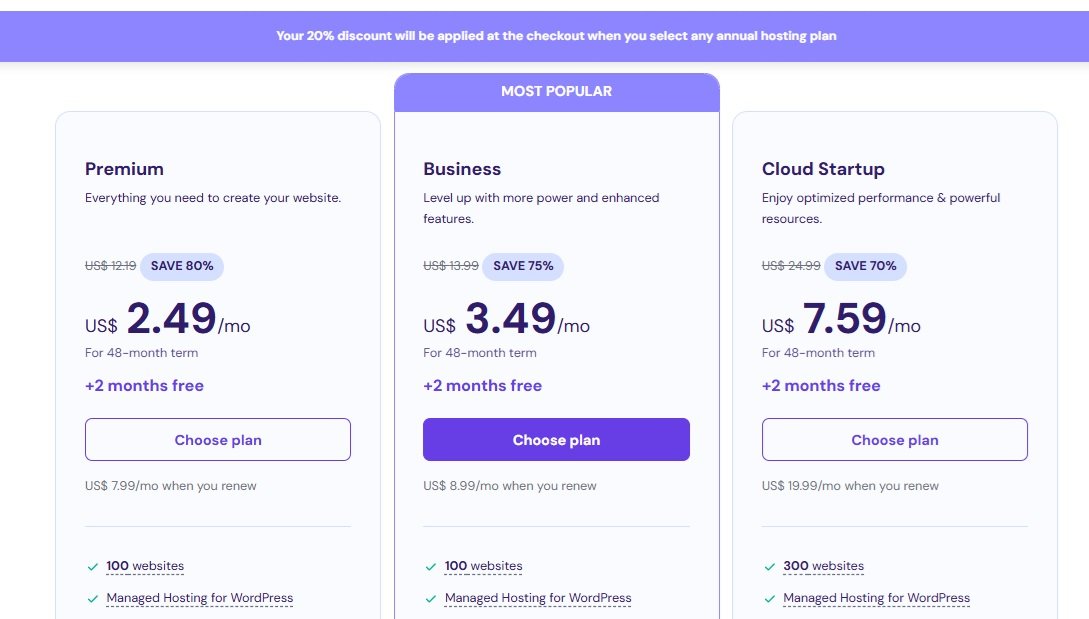
Want a practical Pinterest plan?
Get our free Pinterest strategy PDF for a step-by-step plan to set up your account, create Pins, and work toward your first $500. Results vary, and the guide is a plan to follow, not a promise of earnings.
Common Mistakes to Avoid
- Making a product before researching the buyer. A beautiful design may still struggle if it does not solve a clear problem.
- Using vague product descriptions. Explain exactly what the customer receives and how to use it.
- Copying another seller’s work. Use your own writing, designs, and licensed assets. Do not copy product files, listing text, or artwork.
- Expecting instant sales. Pinterest can take time to surface content. Keep testing your product, Pins, and landing page.
- Posting repetitive or misleading Pins. Make original, relevant content and disclose commercial relationships where required. Pinterest asks affiliate creators to add unique value and be transparent about commercial links. Review Pinterest’s guidelines.
- Ignoring support and updates. Digital products still need customer service. Answer questions, fix broken files, and update information when needed.
Final Thoughts
Digital products can be a practical way to build an online business because you can sell a downloadable file, template, or lesson without shipping physical inventory. But the product still needs thoughtful research, clear instructions, and ongoing promotion.
Choose one audience and one problem to start. Make a useful first product, create Pins that accurately show what it does, and pay attention to clicks and customer feedback. Over time, you can improve the product, add related offers, and build a blog or email list to support your Pinterest traffic.
Frequently Asked Questions
What digital products are easiest to sell on Pinterest?
There is no product type that sells easily for everyone. Planners, templates, worksheets, invitations, guides, and craft files can all be promoted on Pinterest, but demand depends on the audience, product quality, competition, and how clearly you present the offer.
Do I need a website to sell digital products with Pinterest?
No. You can link to a marketplace listing or another sales platform. A website gives you more control over your product pages and content, but it also requires setup and maintenance. Review the features and rules of the platform you choose.
Can I sell affiliate products as Pinterest product Pins?
Pinterest’s current merchant guidelines say merchants must not be affiliate marketers. Affiliate content is covered by separate commercial-content rules, including transparency and original value. Check Pinterest’s current policies and your affiliate program’s terms before posting.
How many Pins should I create for one product?
There is no guaranteed number. Start by creating a few distinct, useful designs that speak to different searches or product benefits. Review their outbound clicks and sales, then make more versions based on what performs well.
Want Pinterest traffic without doing the pinning?
Our team at ThriversEdge handles keyword research, Pin design and scheduling for bloggers and online sellers. Start with a $99 account audit, get Pins designed from $1 each, or hand over the whole account.
Note: Some of the links on this page are affiliate links, which means we may earn a small commission if you choose to make a purchase through them-at no extra cost to you. We only recommend products and services we genuinely believe in and find useful.