
Can you make money with Pinterest as a beginner? Yes, but Pinterest usually isn’t the one paying you. You use it to reach people who are searching for ideas, products, and solutions, then earn through your blog, affiliate links, products, or services.
My co-founder Anku and I have used Pinterest to bring traffic to our blogs and earn from that traffic. It takes time to learn what your audience wants, create useful content, and get your Pins in front of the right people. There’s no guaranteed income or overnight shortcut, but Pinterest can become a valuable source of visitors and customers.
In this guide, I’ll explain how beginners can make money with Pinterest, what you need to get started, and how to choose a strategy that fits your skills and business.
🎁 Free: 10 editable Canva Pin templates
The same Pin designs we use to get traffic from Pinterest. Swap in your text and photos and you have a ready-to-post Pin in minutes.
👉 Get the free templates (or get all 60 premium templates for $19)
Can You Make Money Directly From Pinterest?
Pinterest generally doesn’t pay creators just for views, saves, or followers. Instead, creators can earn through third-party opportunities such as affiliate commissions, product sales, services, and brand partnerships.
Think of Pinterest as a discovery and traffic platform. Someone searches for a small bedroom layout, clicks your Pin, and lands on your blog. You might earn from ads on that blog, recommend a relevant product through an affiliate link, or sell a digital guide that helps solve the same problem.
Pinterest also supports features such as product tagging and affiliate links. The available features can vary by location and account, and the payment comes from the affiliate program or business relationship, not Pinterest itself. You can read Pinterest’s current guide to using affiliate links.
7 Ways to Make Money With Pinterest
1. Send Pinterest Traffic to a Blog
For bloggers, one of the most practical ways to use Pinterest is to bring readers to helpful articles. You create Pins related to your posts, and people who want more information click through to your website.
Once readers arrive, you can earn through display ads, affiliate links, sponsored content, or your own products. Pinterest doesn’t guarantee traffic, so your results depend on the topic, the usefulness of your content, the quality of your Pins, and how well your strategy matches what people are searching for.
If you’re new to blogging, start with our guide on how to start a blog. You can also read our guide to monetizing your blog to compare different income sources.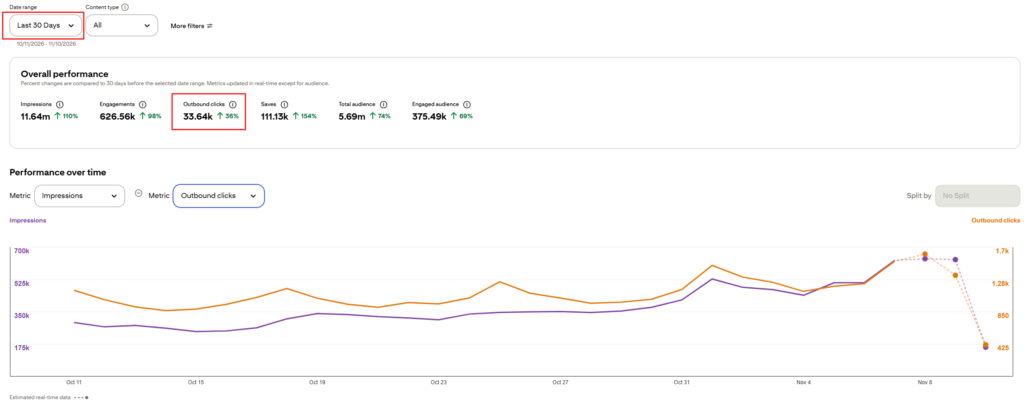
2. Earn Affiliate Commissions
Affiliate marketing means recommending a product or service using a special tracking link. If someone clicks your link and makes a qualifying purchase, the affiliate program may pay you a commission.
For example, a home decor blogger could create a Pin showing a reading nook and link to a blog post with product recommendations. A food blogger might link a recipe Pin to a post that mentions kitchen tools used in the recipe.
Keep your recommendations relevant and useful. Pinterest says affiliate content should be original, add value, and be transparent about its commercial nature. Follow the rules of your affiliate program as well, and clearly disclose when you may earn a commission. The Pinterest commercial content guidelines explain the platform’s affiliate guidelines.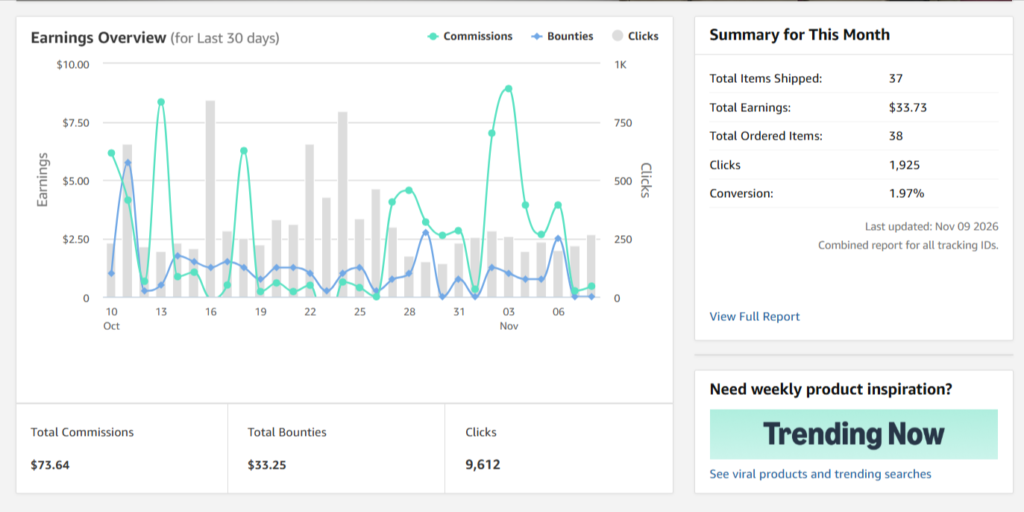
For examples of tools we recommend, visit the DuoThrivers Recommendations page. Some links on that page are affiliate links, so we may earn a commission if you make a purchase through them, at no extra cost to you.
3. Sell Your Own Digital Products
Pinterest can help you show your digital products to people looking for ideas or solutions. Depending on your niche, you might sell printable planners, templates, patterns, workbooks, ebooks, or design resources.
Create Pins that show what the product helps someone do. For example, instead of only showing a product cover, you could create a Pin that previews a few pages or explains the problem the product solves. Link directly to a clear product or sales page.
Make sure your product page explains what buyers receive, who the product is for, and how to access it. A Pin can attract attention, but a helpful product page needs to answer questions and make the next step easy.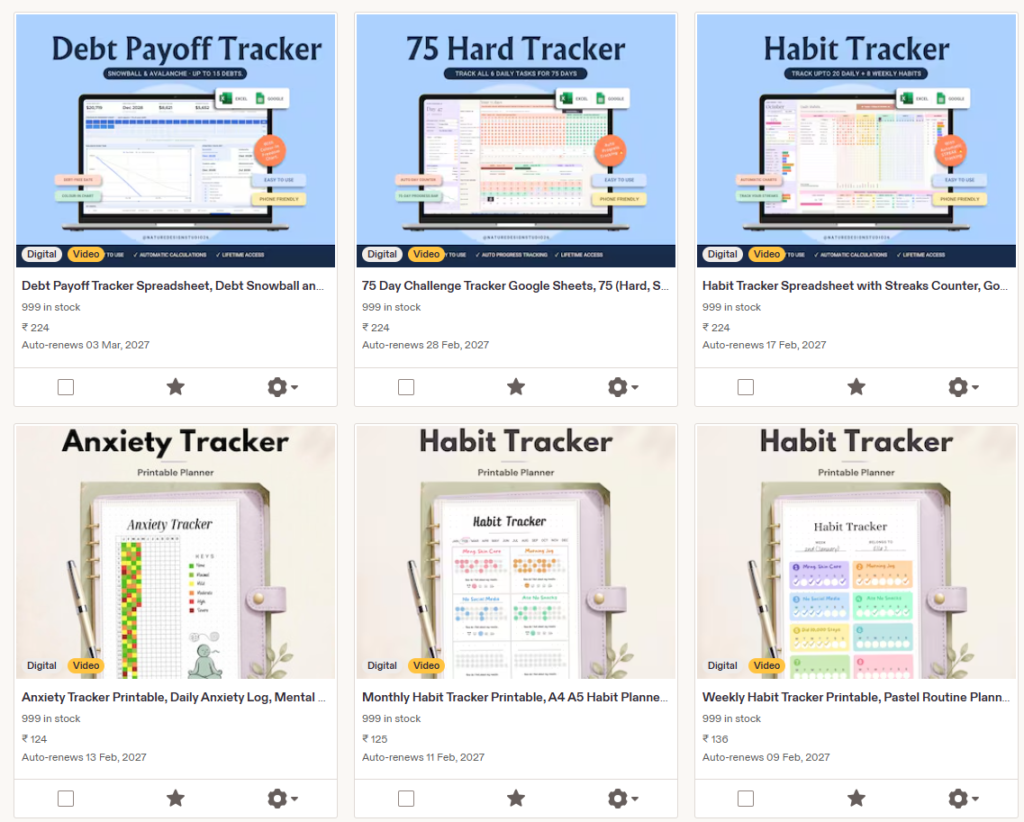
4. Promote a Service
If you offer services, Pinterest can help potential clients discover your work. Freelance writers, designers, photographers, virtual assistants, and Pinterest managers can create Pins that lead to a portfolio, service page, or contact form.
Share examples of your work, explain the result you help clients achieve, and make it clear how they can get in touch. Avoid making promises you can’t support. A strong portfolio and clear service details will help build trust.
5. Sell Physical Products or Promote an Online Store
If you own an online store, create Pins that show your products in use and link to the relevant product pages. A good Pin should accurately represent the product and lead to a page where people can learn more or buy it.
Pinterest also offers product tagging features in supported locations and formats. If you sell products, check the current Pinterest Business Help guidance on tagging products in Pins.
6. Work With Brands
Brands may pay creators to make content featuring their products or services. This is usually a better fit once you have a clear niche, a portfolio of original Pins, and an audience that engages with your content.
You don’t need to wait until you have a huge following to present your work professionally. Create a simple media kit with your niche, audience details, examples of Pins, and the types of collaborations you offer. Always disclose a paid partnership clearly and follow Pinterest’s branded content rules.
7. Use Pinterest to Grow an Email List
You can also use Pinterest to attract subscribers to a newsletter. Create a useful free resource, such as a checklist, template, or short guide, and link your Pins to a landing page where visitors can sign up.
Once someone joins your email list, you can share helpful content and introduce relevant products or services over time. Make sure the landing page clearly explains what subscribers will receive and how their email address will be used.
How to Get Started With Pinterest as a Beginner
Step 1: Choose One Main Way to Earn
Decide what you want Pinterest to help you grow. If you have a blog, focus on sending readers to your articles. If you sell products, link to your shop. If you offer a service, send people to your portfolio or service page.
You can add more income streams later. Starting with one clear goal makes it easier to choose topics, create relevant Pins, and understand whether your work is bringing results.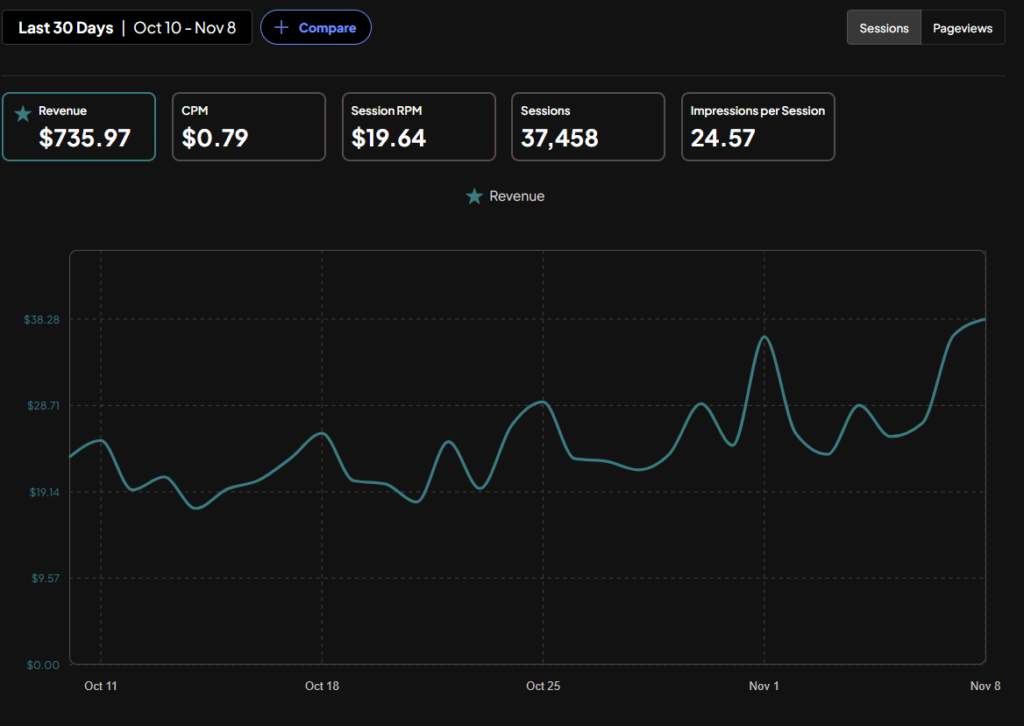
Step 2: Set Up a Pinterest Business Account
A business account gives you access to business features and Pinterest Analytics. Complete your profile with a recognizable name, a clear description of what you offer, and a link to your website if you have one.
Keep your profile focused. If you write about home decor, for example, make it easy for a new visitor to understand that your account shares home decor ideas and where they can find more information.
Step 3: Research What Your Audience Searches For
Think about the questions your audience asks before they buy, make, or try something. Pinterest search suggestions and Pinterest Trends can help you explore related searches and seasonal interest.
Choose specific topics that match your website or offer. A Pin about “small apartment bedroom ideas” will usually be more useful to the right audience than a vague Pin that says “Beautiful rooms.”
For a deeper walkthrough, read our guide to Pinterest keyword research and our Pinterest SEO strategy.
Step 4: Create Helpful, Original Pins
Make Pins that clearly match the page or product they link to. Use an image or design that is easy to understand at a glance, and write a title and description that naturally explain the topic.
You can create Pin designs in Canva. If you want help planning or scheduling your content, take a look at the tools listed on our recommendations page. Check each tool’s current features, pricing, and terms before signing up.
Step 5: Link to a Useful Destination
Every Pin should take people somewhere that delivers on its promise. Link to the relevant blog post, product page, service page, or email signup page. Avoid sending people to a general homepage when you can link directly to the page they need.
Check your links from time to time to make sure they still work and the destination has not changed. If you use affiliate links, follow Pinterest’s rules and the affiliate program’s terms.
Step 6: Publish Consistently and Learn From the Results
There isn’t one posting schedule that guarantees success for every account. Choose a pace you can sustain while making useful, distinct Pins. Then use your analytics to see which topics and designs are getting impressions, saves, and outbound clicks.
Impressions can show that your Pin is being seen, but outbound clicks are a better indicator when your goal is to send visitors to a website or product page. Use the data to improve your next Pins instead of repeating the same design without learning from the results.
Our step-by-step guide, Guide to Earn $500 on a New Pinterest Account, covers account setup, niche selection, keyword research, Pin design, and planning. It shares our experience and approach, but earnings and growth are never guaranteed.
How Long Does It Take to Make Money With Pinterest?
There’s no fixed timeline. Some accounts may see clicks sooner, while others take longer to find the right topics and audience. Income also depends on what happens after someone clicks: visitors may need to read several articles, trust your recommendations, or return later before making a purchase.
Focus first on building a useful destination and attracting the right visitors. Track the actions that matter for your business, such as email signups, product page visits, affiliate link clicks, inquiries, or sales.
If you’re looking for a structured starting point, we offer a free Pinterest strategy guide with our approach to setting up an account, researching keywords, creating Pins, and building traffic.
Common Pinterest Money-Making Mistakes to Avoid
- Expecting Pinterest to pay for views: Most creators earn through external products, services, affiliate programs, or partnerships.
- Choosing a topic only because it seems profitable: Pick a topic you can create useful content about consistently.
- Sending every Pin to the same page: Match each Pin with the most relevant destination.
- Using affiliate links without disclosure: Clearly tell people when you may earn a commission and follow the platform and program rules.
- Copying other creators’ designs or content: Create original Pins and add your own value.
- Focusing only on impressions: If your goal is revenue, track clicks and the actions people take after visiting your site.
- Believing income guarantees: No schedule, tool, or strategy can promise a specific amount of traffic or money.
Want Pinterest traffic without doing the pinning?
Our team at ThriversEdge handles keyword research, Pin design and scheduling for bloggers and online sellers. Start with a $99 account audit, get Pins designed from $1 each, or hand over the whole account.
Final Thoughts
Pinterest can help beginners make money, but it works best when it supports a real business, website, product, or service. Choose one clear way to earn, learn what your audience is searching for, and create Pins that lead to genuinely helpful pages.
Give your strategy time to develop, watch your analytics, and improve based on what people actually click. To keep learning, explore our guides on ways to make money on Pinterest, growing a new Pinterest account, and the free Pinterest strategy guide.
Note: Some of the links on this page are affiliate links, which means we may earn a small commission if you choose to make a purchase through them-at no extra cost to you. We only recommend products and services we genuinely believe in and find useful.