
Can you make money on Pinterest without owning a website? Yes. You can use Pinterest to promote affiliate products, sell through an online marketplace, find clients for your services, or work with brands.
The key is to give people somewhere useful to go after they click your Pin. That might be a product page, an Etsy shop, a booking page, or a video on another platform. Pinterest can help people discover your content, but the money usually comes from an outside business, marketplace, affiliate program, or client.
In this guide, I’ll show you practical ways to monetize Pinterest without building a website, how to get started, and what to know about links and disclosures.
🎁 Free: 10 editable Canva Pin templates
The same Pin designs we use to get traffic from Pinterest. Swap in your text and photos and you have a ready-to-post Pin in minutes.
👉 Get the free templates (or get all 60 premium templates for $19)
Does Pinterest Pay You Directly?
Pinterest generally doesn’t pay creators just for getting views or saves. Instead, creators can earn through affiliate commissions, product sales, services, or brand partnerships. Payment terms are arranged with the affiliate program, marketplace, client, or brand.
Pinterest’s creator guidance describes affiliate links, product tags, and brand partnerships as ways to monetize. It also explains that Pinterest does not handle payments for these arrangements.
7 Ways to Monetize Pinterest Without a Website
1. Share Affiliate Product Pins
Affiliate marketing is one of the most direct ways to earn from Pinterest without running a website. You join an affiliate program, create a Pin about a relevant product, and add your unique affiliate link as the destination. If someone makes a qualifying purchase through that link, you may earn a commission.
For example, a home decor creator could make a Pin showing a reading nook and link to a lamp or chair featured in the image. A craft creator might share a finished project and link to the supplies used to make it.
Pinterest’s affiliate guide says the Pin should link directly to the shop’s product detail page. The Pin should also be original, accurately represent the product, and add value for people viewing it. Check the affiliate program’s terms before posting because some programs may set their own rules about social media promotion.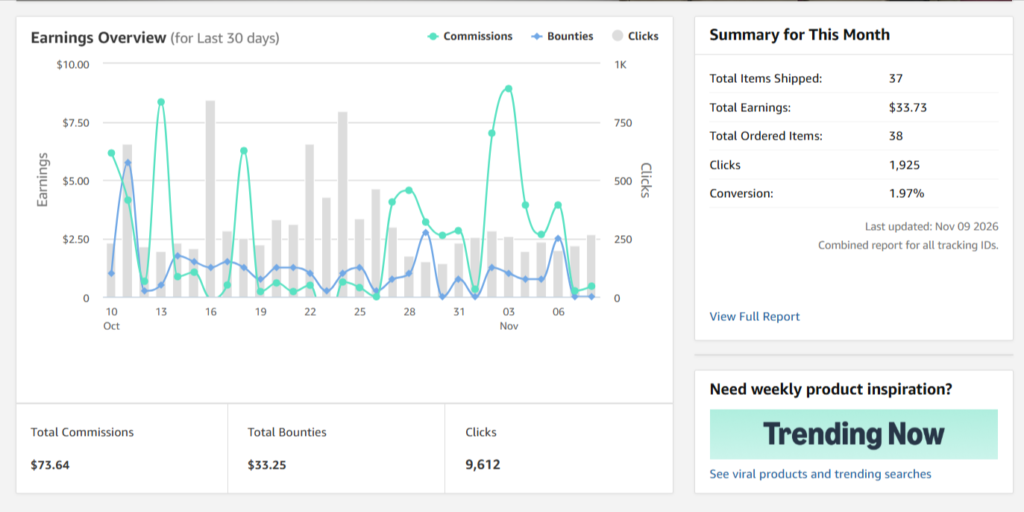
Be clear that you may earn a commission. Pinterest asks creators to be transparent about the commercial nature of affiliate Pins. The U.S. Federal Trade Commission also says disclosures should be easy to notice and understand, and placed with the endorsement itself. You can read the Pinterest commercial content guidelines and the FTC’s disclosure guide.
2. Sell Digital Products Through a Marketplace
You can sell printable planners, templates, guides, patterns, or other downloadable products without creating your own website. A marketplace or digital product platform can provide a product page, checkout, and file delivery.
Create Pins that show what the product does or what buyers will receive. For example, a Pin for a weekly meal planner could show a sample page and explain who it helps. Link the Pin to the product listing, and make sure that the listing clearly explains the file format, contents, and delivery process.
If you want to create Canva templates, our guide on making money by selling Canva templates walks through product ideas and ways to package them.
3. Promote Your Etsy Shop
If you already sell handmade items, printables, invitations, or other products on Etsy, Pinterest can help people discover your listings. Create Pins that show the product in use, highlight its features, or answer a question a potential buyer might have.
Link each Pin to the most relevant listing or shop page. Keep the Pin accurate: if it shows a particular design or product option, make sure the destination page offers that same item.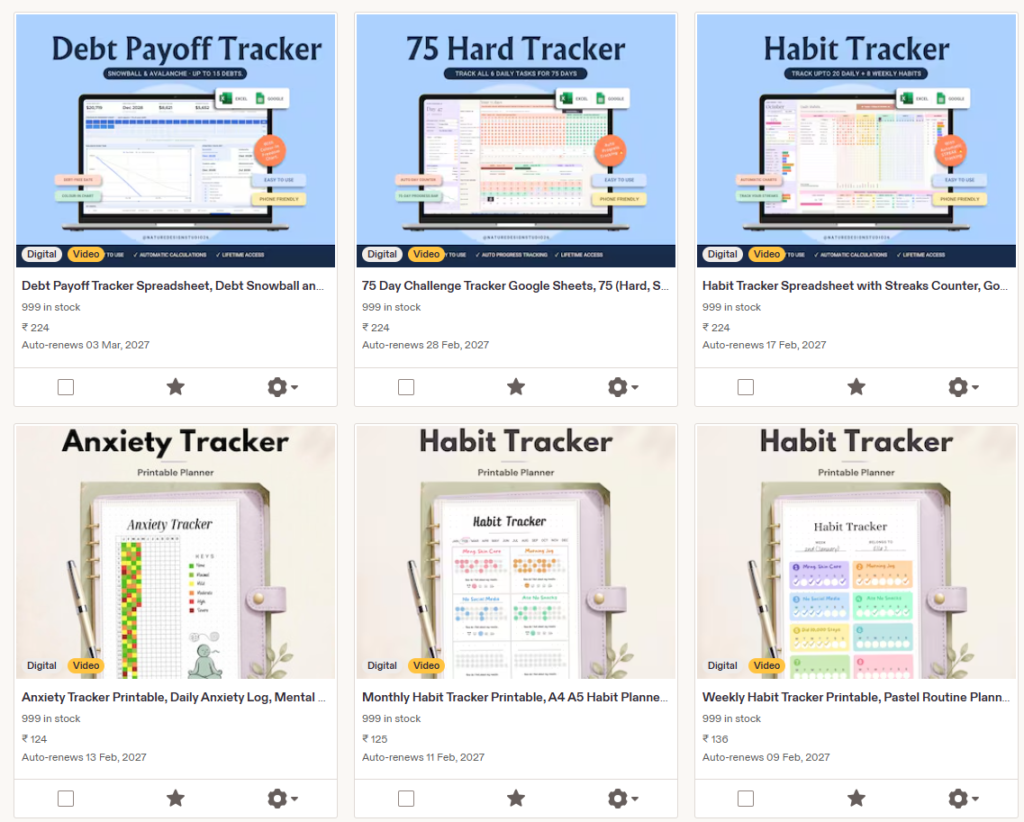
For more ideas, see our guide on using Pinterest to boost Etsy sales.
4. Find Clients for Your Services
Pinterest can help people discover services such as graphic design, photography, virtual assistance, Pinterest management, coaching, or event planning. You don’t need a full website to start sharing your work, but you do need a clear destination where people can understand your offer and contact you.
That destination could be a portfolio profile, a service marketplace listing, or a simple booking page. Create Pins that show examples of your work, explain the problem you solve, or share helpful tips related to your service.
If you’re building a business around Pinterest itself, our guide to Pinterest virtual assistants explains what clients may look for when hiring help.
5. Work With Brands
Brands may pay creators to make Pins featuring a product or service. A strong niche, a well-organized profile, and original examples of your work can help you present yourself to potential partners.
You can create a short media kit with your Pinterest profile, audience information, examples of successful Pins, and the types of content you can make. Reach out to brands whose products fit your content and explain what you could create for them.
For paid partnerships, use Pinterest’s paid partnership tools when available and clearly disclose the relationship. Pinterest notes that the creator and brand arrange payment directly.
6. Create Content for Brands as a UGC Creator
User-generated content, or UGC, is content made for a brand to use on its own channels. A brand may pay you to create product photos, short videos, or Pin designs even if you don’t have a large Pinterest following.
Put together a small portfolio with sample work. You can create examples using products you already own, but don’t imply that a brand hired or endorsed you if it didn’t. When you do paid work, agree in writing on the deliverables, payment, deadlines, and where the brand can use your content.
7. Send People to a Monetized Channel or Signup Page
You can use Pinterest to promote content on another platform, such as a YouTube channel, newsletter signup page, or creator profile. You may then earn from that platform’s monetization options, paid subscriptions, sponsorships, or future product sales.
This approach adds another step between the Pin and a sale, so make the destination worthwhile. A Pin about a specific tutorial should lead to that tutorial, not just a general profile page.
How to Get Started
Step 1: Pick One Monetization Method
Choose one offer to begin with: an affiliate product, digital download, Etsy listing, service, or brand collaboration. It’s easier to create focused Pins when you know what action you want people to take.
Step 2: Choose a Clear Niche
Pick a topic you can create useful content about consistently. Your niche should connect the Pins you publish with the product, service, or other destination you’re promoting.
Step 3: Set Up a Pinterest Business Account
A business account gives you access to analytics and other business features. Write a profile description that tells people what kind of ideas or recommendations you share. You can create a Pinterest business account without claiming a website.
Step 4: Find What Your Audience Searches For
Use Pinterest search suggestions and keyword tools to learn what people are looking for in your niche. Choose specific topics and make Pins that match those searches.
Our guides to Pinterest keyword research and Pinterest SEO explain how to find and use relevant keywords.
Step 5: Make Original Pins With a Clear Destination
Use a relevant image or video, a clear title, and a description that matches the destination. Tell people what they’ll find when they click. Don’t use a Pin image that promises one thing and send visitors somewhere unrelated.
Canva can help you design Pins, and a scheduler can help you plan them. We list Canva and Tailwind among the tools on our DuoThrivers Recommendations page. Some links on that page may be affiliate links; if you purchase through one, we may earn a commission at no extra cost to you.
Step 6: Follow Link and Disclosure Rules
Use the destination URL provided by the marketplace or affiliate program, and check that it works. Pinterest says some link shorteners may not be supported. Avoid repeatedly posting the same affiliate Pin or using tactics that manipulate saves, clicks, or engagement.
Place a clear disclosure near the affiliate recommendation. For example: “I may earn a commission if you buy through this link.” Also follow the rules of the affiliate program, marketplace, and any relevant advertising laws.
Step 7: Track Clicks and Sales
Use Pinterest Analytics to see which Pins get outbound clicks. Then compare that with the information available from your affiliate program, marketplace, or booking platform. Impressions can show that people saw a Pin, but clicks and completed actions are more useful when you’re measuring income.
Can You Use Amazon Affiliate Links on Pinterest?
Pinterest supports affiliate links, but you must follow both Pinterest’s rules and Amazon’s current operating requirements. Pinterest also offers an Amazon Storefront linking feature to eligible creators. When available and set up, it can apply affiliate links to eligible tagged Amazon products automatically.
Check the latest Pinterest and Amazon connection instructions and the terms of your Amazon program before using this feature. Availability and eligibility can vary.
Is It Harder to Make Money Without a Website?
It can be. A website gives you more control over your content, audience experience, and ways to earn from the same visitor. Without one, you’ll usually depend on a marketplace, affiliate program, social platform, or booking service to handle the next step.
You can still start without a website. Focus on one relevant offer, make original Pins, and send people to a useful product or service page. If you later want to build a blog and add display ads or more affiliate content, our guide on how to start a blog can help you plan that next step.
Common Mistakes to Avoid
- Expecting payment for views alone: Pinterest traffic needs to lead to an offer or monetized destination.
- Posting affiliate links without checking the rules: Review both Pinterest’s guidelines and the affiliate program’s terms.
- Hiding affiliate disclosures: Make disclosures clear and easy to find near the recommendation.
- Using misleading Pins: The image, title, and destination should all match.
- Posting repetitive Pins in large volumes: Create original content and follow Pinterest’s spam policies.
- Promoting too many unrelated products: Keep your recommendations relevant to your niche and audience.
- Believing guaranteed income claims: No Pin schedule or strategy can promise a specific amount of money.
Want Pinterest traffic without doing the pinning?
Our team at ThriversEdge handles keyword research, Pin design and scheduling for bloggers and online sellers. Start with a $99 account audit, get Pins designed from $1 each, or hand over the whole account.
Final Thoughts
You don’t need a website to start monetizing Pinterest. You can send people to affiliate products, an Etsy shop, a digital product listing, a service page, or a brand partnership. What you do need is a relevant offer and a useful destination that matches the Pin.
Start with one method, learn what your audience searches for, and track what happens after people click. For a more detailed Pinterest plan, get our free Pinterest strategy guide or read our complete guide to making money on Pinterest.
Want help growing your Pinterest account?
If you’re a blogger, creator, or small business owner and want help with Pinterest strategy, Pin design, or account management, explore our services at ThriversEdge.
Note: Some of the links on this page are affiliate links, which means we may earn a small commission if you choose to make a purchase through them-at no extra cost to you. We only recommend products and services we genuinely believe in and find useful.